
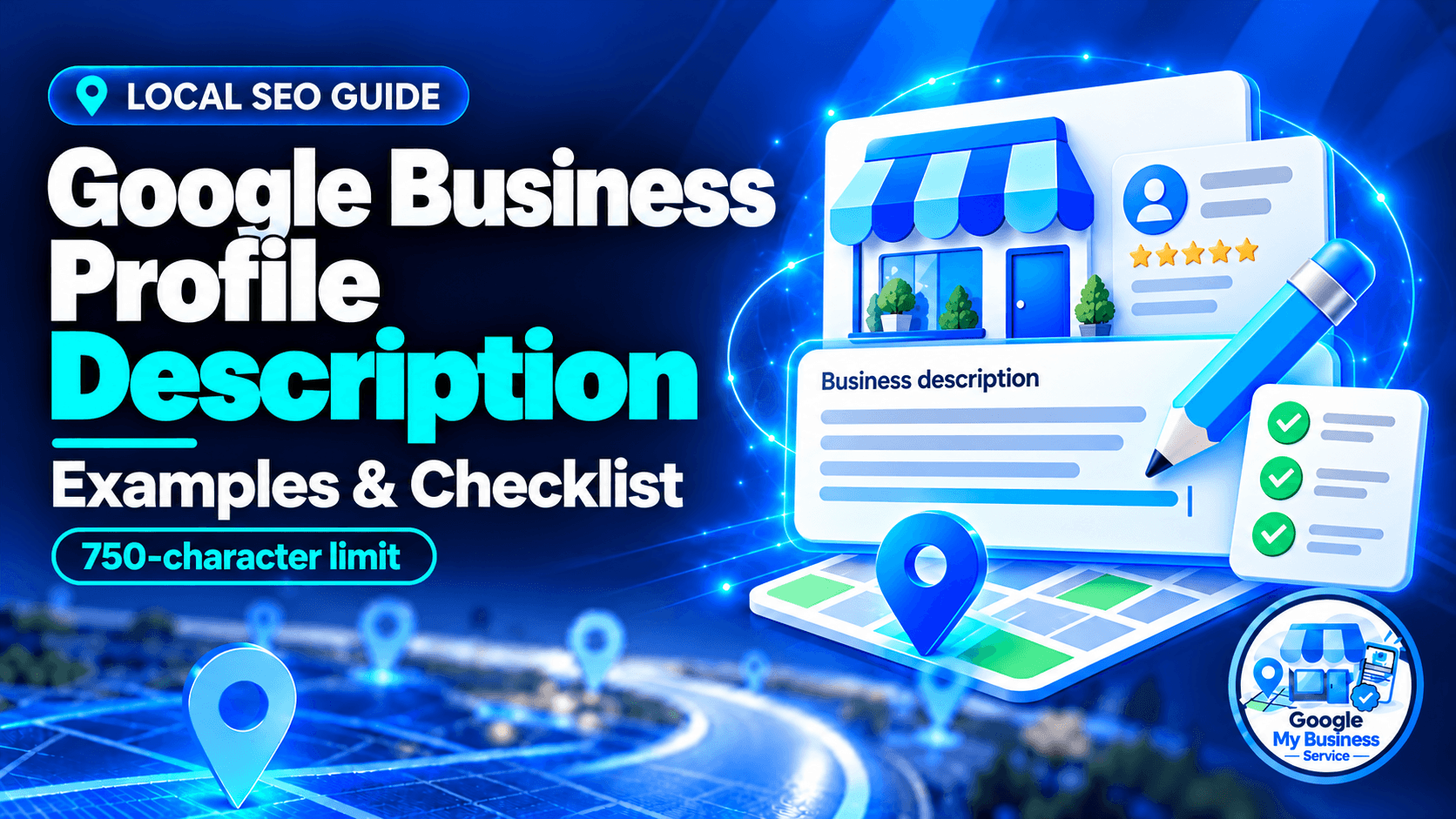
To write an effective Google Business Profile Description, focus on telling customers who you are, what you offer, and why they should choose you within a 750-character limit.
Start with your business type, main service and location. Add a few specific offerings and a reason to choose you that you can support with facts. Keep links and promotional pricing out of the description, then check the text before saving it.
Below, you will find a writing formula, six original examples with character counts, a before-and-after rewrite and a final checklist. Use them to write a description that helps a customer decide whether your business meets their needs.
What is a Google Business Profile description?
A Google Business Profile description is the short, owner-provided introduction to your business on Google Search and Maps. Google describes it as appearing in the “From the business” section. It can explain your services, customers, history and distinguishing features.
Google Business Profile is the current name for Google My Business, so older guides may call this a Google My Business description or GMB description. Our beginner’s guide to Google Business Profile explains the wider listing and its features.
The description is separate from other text people may see:
| Text or field | Its purpose |
|---|---|
| Business description | Introduces the business as a whole. |
| Services and service descriptions | Explain individual services where supported. |
| Website meta description | Summarizes a webpage and may inform its search-result snippet. |
| Editorial summary or review snippet | Summarizes information selected by Google; editing your business description does not directly rewrite it. |
Google’s business-summary guidance explains the distinction between owner-written descriptions, editorial summaries and review snippets. The placement and amount of text shown can vary.
How long should a Google Business Profile description be?
The maximum is 750 characters, not 750 words. Count spaces and punctuation as part of your draft, and check the final text against the counter in Google’s editor. You do not need to fill the entire allowance.
Put the information customers need most in the opening sentence. Around 250 characters is a useful planning target for the opening, because descriptions may be shortened before a reader expands them. It is not a fixed display length guaranteed by Google across every screen.
If your first sentence identifies the business, its main offering and its location, the description still makes sense when the reader stops there.
How to write a Google Business Profile description in five steps
1. Gather the facts before writing
Write down your business name, business type, main services, customer group, actual location or service area, and one or two useful differences.
Choose facts that help someone make a decision. “Written estimates before work begins” tells a customer more than “excellent service.” A genuine founding year can build confidence, but a new company should not present its founder’s previous experience as the company’s age.
For a business that visits customers, describe the area you genuinely serve. Do not suggest customers can visit a private home or staff-only office when they cannot.
2. Write an opening that answers what and where
Use a straightforward first sentence:
[Business name] is a [business type] in [location], providing [main offering] for [customer group].
For example:
Cedar Plumbing provides plumbing repairs and water heater installation for homes in Kuala Lumpur and Petaling Jaya.
Use language consistent with your actual business and selected category. You do not need to force an awkward category label into the sentence or repeat the city several times.
3. Add the services customers ask about
Choose a few specific offerings rather than listing everything. Three to five can be a useful starting point, but that is a writing choice, not a Google requirement.
Compare “complete home solutions” with “leak repairs, drain clearing and water heater installation.” The second version helps someone recognize the work they need.
Use relevant service terms naturally. Your customer needs to understand the description without reading a list of search keywords.
4. Explain a difference you can verify
Useful details might include a genuine specialty, relevant qualification, a founding year or a clear service process. Use only claims that apply now.
For example:
- A repair shop provides written estimates before starting work.
- A salon offers private consultation appointments.
- A café roasts its own coffee on-site.
- A contractor has a specific licence relevant to the work described.
Avoid unsupported claims such as “number one,” invented awards or guarantees your business cannot fulfil. Only promise same-day availability or round-the-clock service when that is how the business actually operates.
5. Add a suitable next step and edit
For an ordinary, unrestricted business, a short invitation such as “Call to arrange a service visit” can be useful. A call to action is optional; it does not need a phone number or web address in the paragraph.
Businesses offering regulated products or services must check additional restrictions. Google’s restricted-content policy limits calls to action and sales offers relating to regulated goods and services, including gambling, alcohol and financial services. A general-purpose CTA template does not fit every business.
Finally, read the paragraph aloud. Remove repetition, sales language and any claim you would struggle to substantiate. Keep a saved copy before submitting it.
A Google Business Profile description template
Adapt this structure to the facts of your business:
[Business name] is a [business type] serving [location or service area]. We provide [service one], [service two] and [service three] for [customers]. [Add one genuine distinguishing detail or relevant history]. [Optional, appropriate next step].
Replace every placeholder, then count the completed text. The template’s length does not tell you whether your customized version fits.
For multiple locations, retain accurate shared brand information and add useful differences for each branch: its neighbourhood, available services or visiting arrangements. Avoid changing only the city name when the result misrepresents what that location offers.
Six Google Business Profile description examples
These are fictional examples written for this guide, not client profiles, approval-tested submissions or evidence of ranking improvements. Counts include spaces and punctuation inside each example, excluding the quotation formatting. Recheck after making changes.
1. Plumber: a service-area business
Cedar Plumbing provides plumbing repairs and water heater installation for homes in Kuala Lumpur and Petaling Jaya. Our services include leak repairs, blocked drain clearing and tap replacement. We explain the proposed work and provide a written estimate before starting. Call to arrange a service visit.
Character count: 304.
Why it works: The opening identifies the work, customers and coverage. The written-estimate process gives the customer something concrete to assess. It does not imply a walk-in shop or guaranteed emergency response.
2. Dental clinic: a customer-facing practice
Oak Street Dental is a dental clinic in Austin providing examinations, preventive care, fillings and restorative dentistry. Our team explains treatment options and appointment preparation in plain language. The clinic welcomes adults and children, with step-free access at the main entrance.
Character count: 291.
Why it works: It names the services and patient group without promising treatment outcomes. The access detail is useful only if it accurately describes the real clinic.
3. Hair salon: services and consultation
Willow Hair Studio is a hair salon in Petaling Jaya offering haircuts, colour services and styling appointments. We begin colour appointments with a consultation about your hair, maintenance routine and preferred result. Our team also provides styling for weddings and events. Contact the salon to discuss an appointment.
Character count: 321.
Why it works: Customers can see the main services and understand the consultation process. It avoids unverified claims about awards, specialist credentials or universal results.
4. Café: a physical location
Harbour Cup is an independent cafe in George Town serving espresso drinks, tea and pastries baked on-site. Our indoor seating includes small tables for individual visitors and shared tables for groups. We offer takeaway drinks and clearly label the ingredients in our pastry selection. Visit us for coffee and a freshly baked snack.
Character count: 332.
Why it works: The food, setting and takeaway option help someone decide whether to visit. It describes the business without promoting a temporary discount.
5. Auto repair shop: a clear work process
Bridge Auto Care is an auto repair shop in Bristol providing brake repairs, engine diagnostics, routine servicing and battery replacement. We explain inspection findings and ask for approval before carrying out additional work. Our workshop serves local drivers and small business fleets. Call to discuss your vehicle and arrange a visit.
Character count: 338.
Why it works: Specific services replace a vague promise to handle everything. The approval process addresses a practical customer concern without making a price or turnaround guarantee.
6. Retail branch: location-specific information
Maple Home is a homeware shop in Tampines, Singapore, offering kitchen accessories, storage products and home textiles. This branch has a display area where customers can compare materials and sizes before buying. Our team can explain product care and help check collection availability for orders placed through our website.
Character count: 325.
Why it works: The branch-specific display and collection information is more helpful than a generic description copied across every store. Keep these details unique only where the operations actually differ.
Before and after: fix an unclear description
Before — deliberately unsuitable:
BEST PLUMBER KL!!! Cheap plumber Kuala Lumpur, best plumbing KL. 50% OFF TODAY. Visit example.com now!
This draft repeats search terms, relies on an unsupported superlative and includes both a promotional discount and a URL. It also leaves out the actual work and service process.
After:
Cedar Plumbing provides plumbing repairs and water heater installation for homes in Kuala Lumpur and Petaling Jaya. Our services include leak repairs, blocked drain clearing and tap replacement. We explain the proposed work and provide a written estimate before starting. Call to arrange a service visit.
The revised version, 304 characters, replaces the keyword list with services, actual coverage and a useful process detail. The improvement is clarity and alignment with the description rules; it is not a promise of a higher ranking.
Google’s description rules and practical writing advice
Google’s profile-editing guidance sets the length and formatting limits. Its business-representation guidelines explain the content requirements.
| Item | How to handle it |
|---|---|
| Length | Keep the description within 750 characters. |
| Links and HTML | Leave them out; these are expressly excluded. Use the appropriate website or booking fields. |
| Promotions, prices and sales | Keep the description about the business. Put appropriate offers in supported features or on your website, subject to their own rules. |
| Accuracy and relevance | Describe the real business; remove unrelated services and misleading claims. |
| Repetition and distracting formatting | Avoid keyword lists, gimmicky symbols and attention-seeking capitals. Use readable sentences. |
| Phone numbers and email addresses | Usually leave them in dedicated contact fields. Google’s general guidance permits a merchant’s own contact information; do not describe this as a blanket ban for every description. Restricted-content rules can add limits. |
| CTA | Optional for ordinary businesses; assess restrictions for regulated goods and services. |
A description problem may result in an edit not being approved. Policy violations can also lead to broader restrictions, but an ordinary rejected edit does not by itself establish that the account has been suspended.
Can AI write your Google Business Profile description?
Yes. Google provides an AI-assisted description feature for some users. In the description editor, look for Suggest description. You can generate an option, try another, choose Use, and revise it before saving.
Availability depends on region and language, and Google specifies that users must be at least 18. Its AI-description instructions say suggestions can use profile information and other sources, such as your website. Check the output: it may invent details or repeat inaccurate information already online.
If you use another AI writing tool, this prompt provides a starting point:
Draft one plain-language Google Business Profile description using only these facts: [business name, business type, services, actual location or coverage, customers and verified differentiators]. Keep it within 750 characters including spaces. Put the essential information first. Do not invent years in business, qualifications, awards, opening hours or guarantees. Exclude URLs, HTML, discounts and promotional pricing. Do not add a sales CTA for regulated goods or services. Flag missing facts rather than filling them in.
Check the character count yourself. An AI tool’s claimed count is not a substitute for counting the final text or checking Google’s editor.
How to add or edit your description
- Sign in to the Google Account authorized to manage the business.
- Find the correct Business Profile on Google Search or Maps.
- Select Edit profile.
- Find Description and select its edit option.
- Paste your checked text and select Save.
- Check the edit status and review the public result after acceptance.
On the Google Maps mobile app, Google’s current instructions use Business → Edit profile. Labels and available features can differ between devices. Some businesses need verification before all information can be edited; our Google Business Profile verification guide explains that process.
According to Google’s edit-status guidance, reviews usually finish within about 10 minutes, but some take up to 30 days. Saving is not the same as approval.
| What you see | What to do |
|---|---|
| Pending | Note the submission date and check for requested action. Avoid repeatedly changing accurate text just to restart the process. |
| Not approved | Check the rules and factual claims, revise identified problems, and follow the available review or appeal route where applicable. |
| Accepted, but another short summary looks unchanged | Confirm whether you are viewing an editorial summary or review snippet rather than your owner-written description. |
| No management controls | Check the account, access permissions, profile and verification status. |
If the stated review window has passed and the issue remains unresolved, use official Google Business Profile support. Do not create another profile to solve a description edit.
Google Business Profile description checklist
Before you save, confirm:
- The opening explains the business type, main offering and relevant location.
- Every service and area mentioned matches actual operations.
- Any experience, qualification or distinguishing claim can be verified.
- The text is within 750 characters, including spaces and punctuation.
- There are no URLs or HTML tags.
- It does not focus on discounts, promotional prices or sales.
- The wording reads naturally, without repeated keyword or city lists.
- Any CTA is appropriate for the business and its content restrictions.
- Contact details, hours and other dedicated fields are accurate separately.
- A saved copy and the submission date are recorded.
- After acceptance, the public description has been checked on mobile and desktop.
For the rest of the listing, use our Google Business Profile optimization checklist.
Frequently asked questions
Use service and location terms to help customers understand your business. Google’s local-ranking guidance describes relevance, distance and prominence; it does not identify description keywords as a standalone ranking factor. Do not expect repeating phrases or rewriting this field alone to move your business up the map results.
No. Use enough space to answer the customer’s questions clearly. Add another sentence only when it provides useful information. A shorter, specific description can be more helpful than a full paragraph padded with generic claims.
You can adapt accurate wording you own from your About or service pages. The description rules reviewed here do not impose a blanket originality requirement against your own website copy. Shorten it for this field, remove links and promotional pricing, and confirm it describes the relevant location.
Change it when your actual services, coverage, business positioning or relevant facts change. You do not need a weekly rewrite or a fresh date to make it look active. Correct outdated information when it appears.
Need help improving your business description?
You can write and manage the description yourself. If your active profile also needs a wider review, our Google Business Profile optimization service includes business-description work alongside relevant categories, services and business information. The current service costs $199 per profile for one month of optimization, followed by a performance report. Specific rankings are not guaranteed.
If your business has no profile, check eligibility and existing listings before considering our new Google Business Profile setup service. If you are unsure which stage applies, read setup vs optimization or compare our Google Business Profile services.